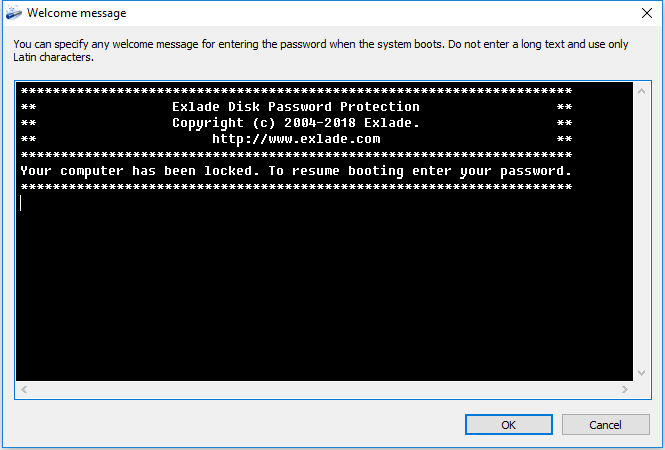
Disk Password Protection 5.5 lets you change the welcome message shown by the boot protection.
What's new
- Your own welcome message on the boot password screen.
- Set it when you install boot protection in the wizard.
How to change the welcome message
Install boot protection
The welcome text can be changed in the boot protection wizard.
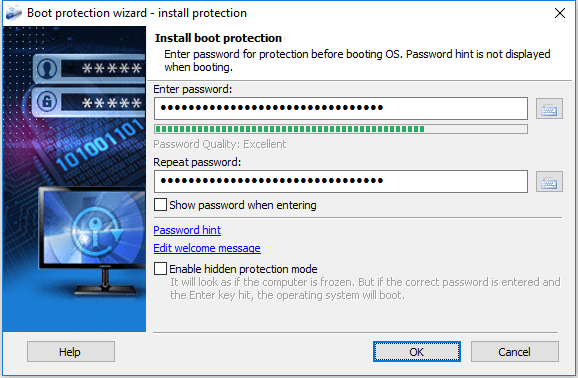
Edit the message
Press "Edit welcome message": a window opens where you edit the text.
Full list of changes: what’s new in Disk Password Protection 5.5.
Try Disk Password Protection free for 30 days
No limitations during the trial. Windows 11, 10, 8.1, 8 and 7 SP1.
Free Trial Pricing & Buy