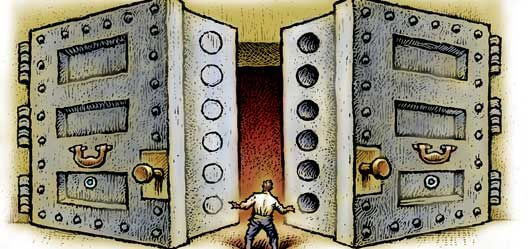
Many SSDs encrypt everything they store on their own. These self-encrypting drives (SEDs) sound perfect: no slowdown, nothing to install. The catch: you trust closed firmware you can’t check, and researchers have shown more than once that this trust can be misplaced.
- Is it safe? It depends on firmware you can't check. Research in 2015 and 2018 found serious flaws in drives from large vendors.
- BitLocker encrypts in software by default since September 2019. Drives encrypted earlier may still run in hardware mode.
- Check it with
manage-bde -status. - Safer default: software encryption on top of the drive's own.
What a self-encrypting drive is
An SED has an encryption engine in its controller. Every sector is encrypted with a data encryption key that the drive generates and keeps inside. Encryption is always on and costs no performance.
What protects your data is the lock in front of it: the password that unlocks that key at power-on. With no password set, the drive decrypts everything for anyone who connects it.
One real advantage: an SED can be wiped in seconds by destroying its key (cryptographic erase), handy when you retire or sell it.
What researchers found
| Year | Drives | Flaw |
|---|---|---|
| 2015 | Western Digital My Passport external drives | Weak key generation, memory leaks, back doors (depending on the controller); some decrypted without any password |
| 2018 | Crucial MX100, MX200, MX300; Samsung 840 EVO, 850 EVO (“ATA High” mode), T3, T5 | CVE-2018-12037: password not cryptographically tied to the key; with physical access and firmware manipulation, data opened without it |
| 2018 | Samsung 840 EVO | CVE-2018-12038: after a password change, an old key copy (unprotected or under the old password) could remain in wear-leveled flash |
Sources: “got HW crypto?” by Gunnar Alendal, Christian Kison and “modg” (2015); “Self-encrypting deception” by Carlo Meijer and Bernard van Gastel, Radboud University, the Netherlands (November 2018, IEEE Symposium on Security and Privacy 2019).
Crucial released firmware updates; Samsung patched its portable T3 and T5 and recommended software encryption for the internal 840 and 850 EVO. Only a few models were tested. CERT/CC note VU#395981 warns other drives may be similar and recommends software encryption instead.
How Microsoft responded
The worst part: BitLocker used to hand the encryption to an eDrive automatically. Windows showed the drive as protected, but security depended entirely on the SSD firmware.
| When | What changed |
|---|---|
| Nov 6, 2018 | Advisory ADV180028, “Guidance for configuring BitLocker to enforce software encryption”: check the encryption type, force software encryption by Group Policy |
| Sep 2019 | Windows 10 updates (e.g. KB4516071): BitLocker uses hardware encryption only if an administrator allows it by policy; already encrypted drives keep their type |
| Today | Microsoft’s encrypted hard drive docs: without configured hardware encryption policies, BitLocker uses software encryption |
The situation in 2026
- BitLocker and Device encryption encrypt in software by default, unless an administrator explicitly allows the drive's own.
- Old installations can still be affected: BitLocker turned on before autumn 2019 on an eDrive SSD may still run in hardware mode (a policy change doesn't re-encrypt data).
- "Hardware-accelerated BitLocker" is something else: since late 2025, on some new PCs (first Intel Core Ultra Series 3 vPro), BitLocker offloads the work to a crypto engine in the processor. It still manages the keys; the SSD is not involved.
- SED firmware is still a black box: some reported flaws were patched, others were only worked around with software encryption, and there is little public independent research on current models.
- Hardware-encrypted USB sticks with a keypad can be sensible, but you still trust the vendor.
How to check whether your drive uses hardware encryption
manage-bde -statusThe labels below are as shown on an English Windows.
- XTS-AES 128 or XTS-AES 256 (older installations: AES 128 or AES 256): software encryption. This is what you want.
- Hardware Encryption: the SSD encrypts, and BitLocker relies on its firmware.
- Hardware accelerated: the processor offload described above; BitLocker controls the keys.
If a drive shows hardware encryption, switch it to software, as ADV180028 describes:
In Group Policy (Windows Pro, Enterprise, Education): Computer Configuration, Administrative Templates, Windows Components, BitLocker Drive Encryption. Set "Configure use of hardware-based encryption" for the drive type (operating system, fixed data or removable data drives) to Disabled.
Wait until decryption finishes before turning it back on. No reformatting needed.
If a drive shows as not encrypted and you never set a drive password (in the BIOS or a vendor tool), its built-in encryption protects nothing, even if the box says "256-bit AES".
Why software encryption is the safer default
- The key opens only with your password (or a TPM), no firmware switch
- Open to study: BitLocker is documented and researched for years, VeraCrypt is open source and audited
- Your settings: Cryptic Disk offers AES, Serpent, Twofish and more (also cascades) and deliberately slow key derivation against brute force (cryptography)
- Independent of the drive: same protection on a new SSD or another PC
- Small cost: modern processors have built-in AES instructions
- Closed controller firmware
- You can't easily check how it ties your password to the key
- Serious flaws found in 2015 and 2018
- Protection depends on the drive model
You don't have to choose: the SED keeps encrypting in the background, and software encryption on top adds a lock that doesn't depend on the firmware.
What to use
Not sure which tool fits? See Encryption software for Windows.
FAQ
Is SSD hardware encryption safe?
It depends on firmware you can’t check, and research found serious flaws in big-vendor drives. Treat it as an extra layer, not your only protection.
Does BitLocker use my SSD’s hardware encryption?
Not by default since September 2019. If manage-bde -status shows “Hardware Encryption”, it does: switch to software as above.
Can hard drive encryption be cracked?
Good software encryption with a long password can’t be brute-forced in practice. Real attacks target weak passwords, unlocked PCs, keys in memory or flaws like those in SEDs. More in Can encrypted files be cracked?.
Should I turn off my drive’s hardware encryption?
Usually you can’t and don’t need to: an Opal SSD always encrypts internally. Just don’t rely on it alone, and switch BitLocker to software if it is in hardware mode.
Does Cryptic Disk work on self-encrypting drives?
Yes. It encrypts in software, so it works with any partition or external drive Windows sees as a normal disk. For the system partition, use BitLocker or VeraCrypt.
No limitations during the trial. Windows 11, 10, 8.1, 8, 7, Vista and XP.
Free Trial Pricing & Buy