
Skype kept your whole chat history in open files on your computer. Anyone who copied them could read every conversation with special software, without your Skype password.
Microsoft retired Skype in May 2025. This guide still helps if an old Skype profile folder with your chat history is on your PC. The same idea, keeping a program's data folder on an encrypted drive, works for other programs too.
- Turning history off didn't help: Skype still wrote messages to its database and deleted them only on quitting, and the events history (who you talked to and when) was never deleted.
- The fix: move the Skype profile folder to a Cryptic Disk encrypted drive or container and link the old path to it.
- Result: the profile opens only while the encrypted drive is mounted.
- Optional: always mount to the same letter, start Skype after mounting, quit it before unmounting.
Before you start: create an encrypted container or encrypt a volume. Portable Skype: see How to Encrypt PortableApps.
Move the Skype profile and chat history to an encrypted drive
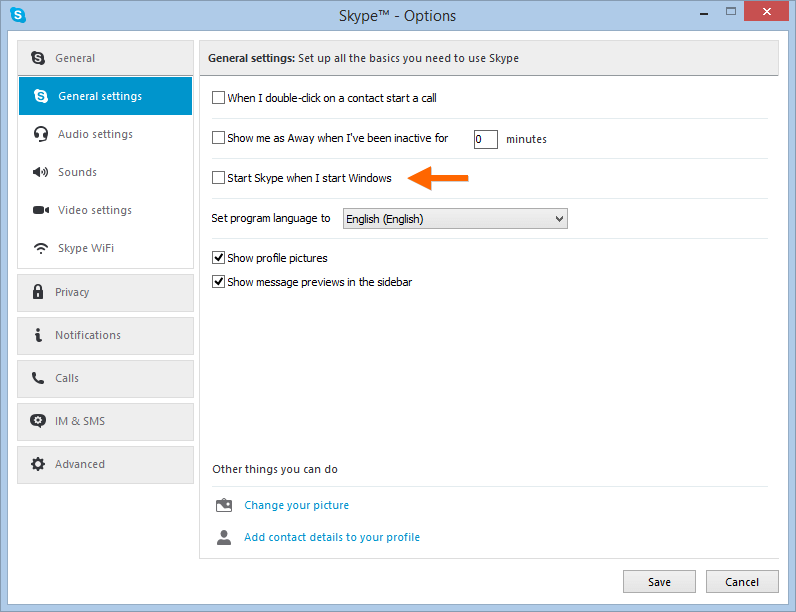
"Tools", "Options", "General settings" tab: untick "Start Skype when I start Windows". Later Skype will start when the drive is mounted.
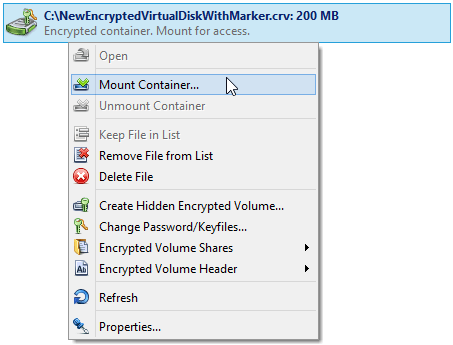
Enter the password and pick a free letter, for example "M:". Always use this letter: the profile link will point to it.
Right-click the Skype icon in the system tray and choose "Quit Skype".
By default it is C:\Users\p.smitt\AppData\Roaming\Skype (your user name instead of p.smitt). Use "Cut" in Explorer and "Paste" on the mounted drive.
Otherwise Skype won't find its profile and closes. Press Win+R, enter "cmd" and run:
mklink /D "C:\Users\p.smitt\AppData\Roaming\Skype" "M:\Skype"/D creates a link to a folder; the first path is the old location, the second the new one on the encrypted drive. Press Enter and check that the link was created.

mklink is available in Windows 7 and higher. On older systems, use a tool for symbolic links, such as Junction by Mark Russinovich.
The profile is now encrypted. It is accessible only while the drive is mounted: Skype started without it can't open your profile.
Optional: mount to M: and start Skype automatically
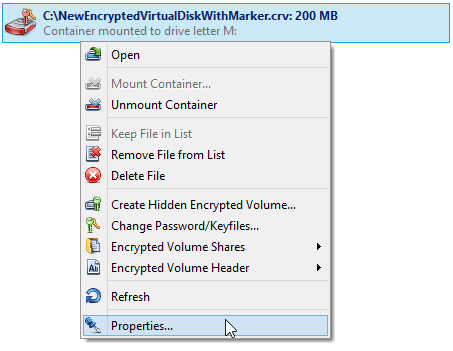
From the context menu of the encrypted volume in the Cryptic Disk main window.
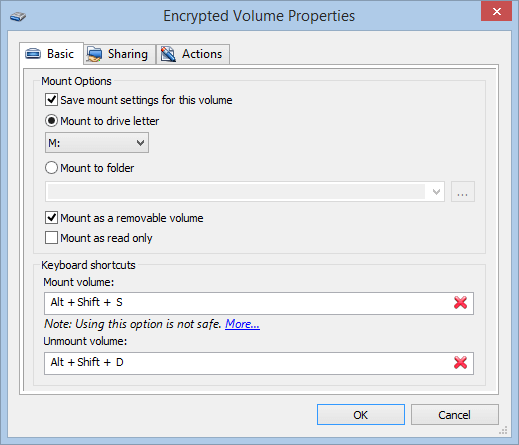
Enable "Save mount settings for this volume" and select "M:". Enabling "Mount as a removable volume" is highly recommended. Hot keys for mounting and unmounting can be set here too.
"Actions" tab, "After Mounting" subtab, "Add", "Run program...".
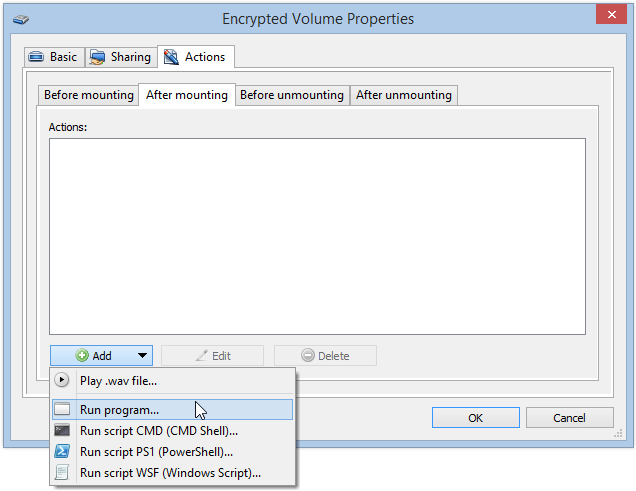
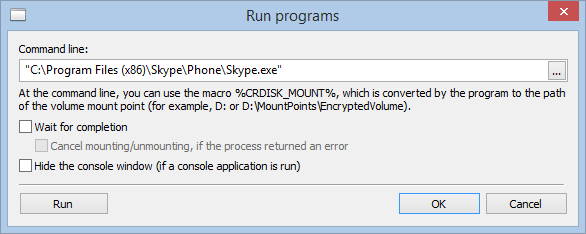
On 64-bit Windows Skype is under "C:\Program Files (x86)", on 32-bit under "C:\Program Files". Click "OK".
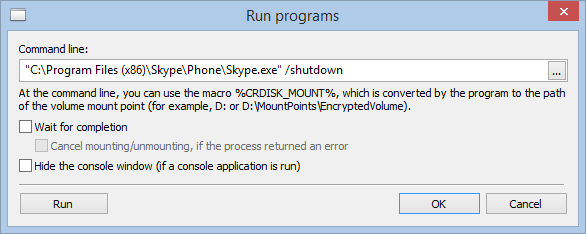
"Before Unmounting" subtab, "Add", "Run program...": the path to Skype in quotation marks (it has spaces) with the "/shutdown" parameter. Enable "Wait for completion" so Cryptic Disk unmounts only after Skype has quit.
Day to day: mount the drive with your password, and the profile with its history and contacts connects and Skype starts. Unmount it, and Skype quits automatically. When Windows shuts down, even incorrectly, all encrypted drives are unmounted automatically.
No limitations during the trial. Windows 11, 10, 8.1, 8, 7, Vista and XP.
Free Trial Pricing & Buy