OneDrive and Google Drive encrypt your files, but they keep the keys. If you want documents in the cloud that only you can read, encrypt them before they are uploaded.
- Provider encryption doesn't help against a hacked account, shared links or the provider itself.
- OneDrive Personal Vault is an extra lock, not end-to-end encryption. Personal Google Drive has no password-protected folders.
- Encrypt on your PC: a Cryptic Disk container in the sync folder. The cloud only gets encrypted data.
- Rules: keep the container on the PC, one computer at a time, unmount before switching.
What cloud encryption protects, and what it doesn’t
Cloud services encrypt data in transit and usually on their servers, with keys the provider manages. That stops intercepted traffic and stolen data center disks, but not this:
Fine for holiday photos. For passport scans, contracts, medical records, tax papers and client archives, encrypt the files yourself.
What OneDrive and Google Drive offer
OneDrive Personal Vault
- A protected folder that opens after an extra identity check
- Locks again after a period of inactivity
- No file limit with Microsoft 365
- Not end-to-end encryption: Microsoft holds the keys
- Limited number of files on free plans
Google Drive
A personal account has no password-protected folders. Client-side encryption exists only in some Google Workspace editions for organizations, set up by an administrator.
And Dropbox?
Dropbox has password-protected links and end-to-end encryption for team folders on some business plans. Dropbox Vault was retired in March 2025. More, with two ways to encrypt it, in How to Encrypt a Dropbox Folder.
Client-side encryption: a Cryptic Disk container in your sync folder
Keep sensitive files in an encrypted container, a single file inside the sync folder. Cryptic Disk mounts it as a drive in File Explorer after you enter the password and encrypts files on the fly. The cloud only gets a file that looks like random data, with no markers by default, so nobody can even prove it is a container (features). It works with any app that syncs a folder: OneDrive, Google Drive, iCloud for Windows, Dropbox and others.
How to set it up
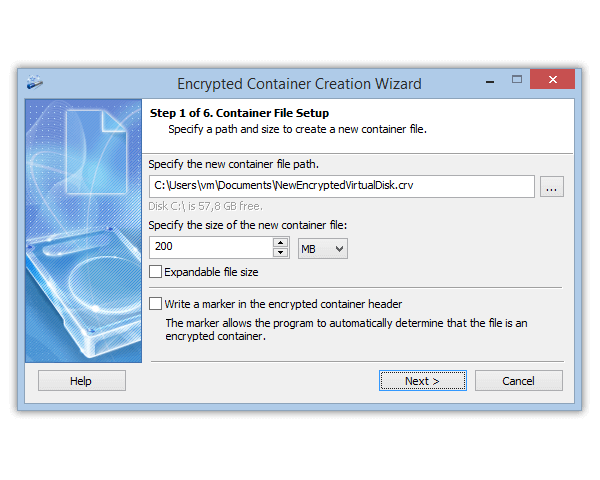
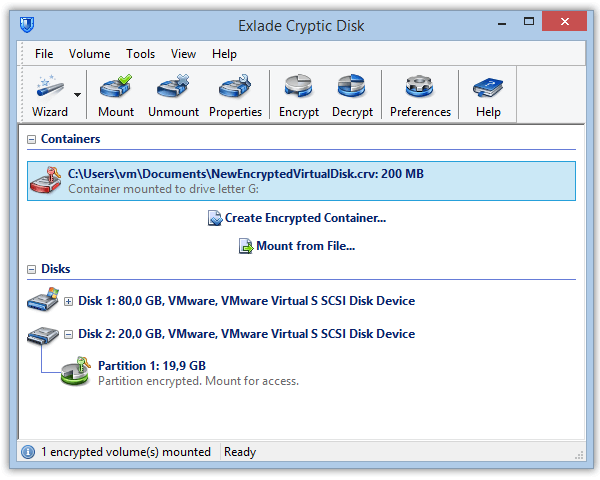
Download Cryptic Disk to every Windows PC where you need the files; a portable copy works too. Click "Create Encrypted Container..." in the main window.
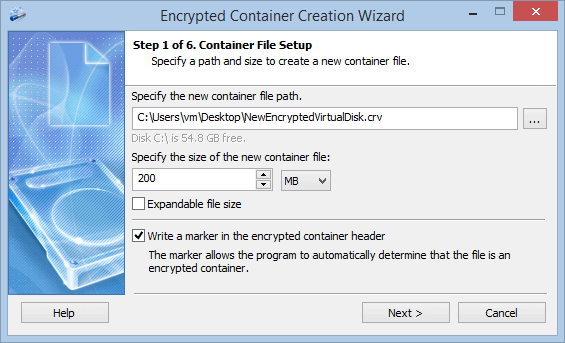
For example C:\Users\Name\OneDrive\Documents\Private.dat. Size: enough for your files with some reserve, no more (see the rules below).
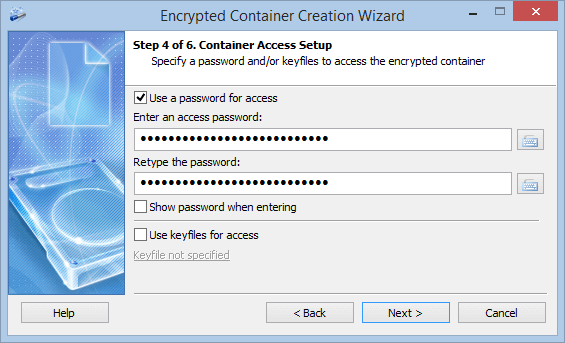
A passphrase of several random words works well: How long should a password be.
Save the encryption key backup (header) the wizard offers, for example to a USB stick. It is protected by the password valid when you saved it: it helps if the header is damaged or you forget a later new password, not if you forget the only one.
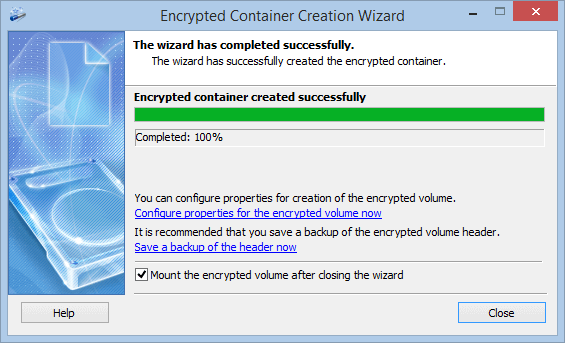
Mount the container, move the sensitive files into it and delete the unencrypted copies from the cloud folder. Empty the cloud's recycle bin on the website too, or the copies stay there.
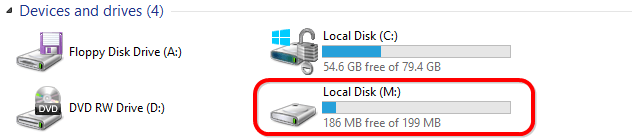
The cloud app then uploads the changed file.
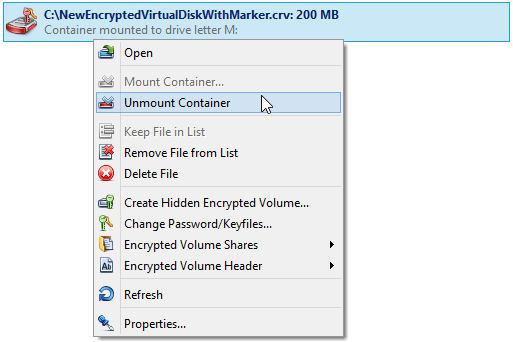
Every page of the wizard: How to Create an Encrypted Container.
Rules for a container in the cloud
Never mount the container to a folder inside the cloud folder. Cryptic Disk can mount to an empty folder instead of a drive letter; inside the sync folder, the cloud would upload the decrypted files.
Version history still works, but for the whole container: you can restore the entire container to an earlier version.
Other options, honestly
Tips
- Turn on two-factor authentication: it also protects the files you don’t encrypt.
- Don’t keep the container password in the same cloud. Use a password manager for web accounts and a long, easy-to-type passphrase for the container.
- Remove shared links you no longer need.
Sync is not a backup. If the container is damaged or deleted, syncing spreads that to every PC. Keep a separate copy of important files.
FAQ
Does OneDrive or Google Drive encrypt my files?
Yes, in transit and on their servers. But the provider holds the keys, so anyone who signs in to your account can read them.
Can I password-protect a folder in Google Drive?
Not in a personal account. Keep the files in an encrypted container inside your Google Drive folder instead.
Is OneDrive Personal Vault end-to-end encrypted?
No. It asks for an extra check when you open it, but Microsoft keeps the keys.
Can I open the encrypted files on my phone?
No. A Cryptic Disk container opens only on a Windows PC running the program, installed or portable. The cloud and the mobile app show just one container file.
What happens if my cloud account is hacked?
The attacker sees your ordinary files, but the container is unreadable without the password. Change your account password right away and turn on two-factor authentication.
No limitations during the trial. Windows 11, 10, 8.1, 8, 7, Vista and XP.
Free Trial Pricing & Buy